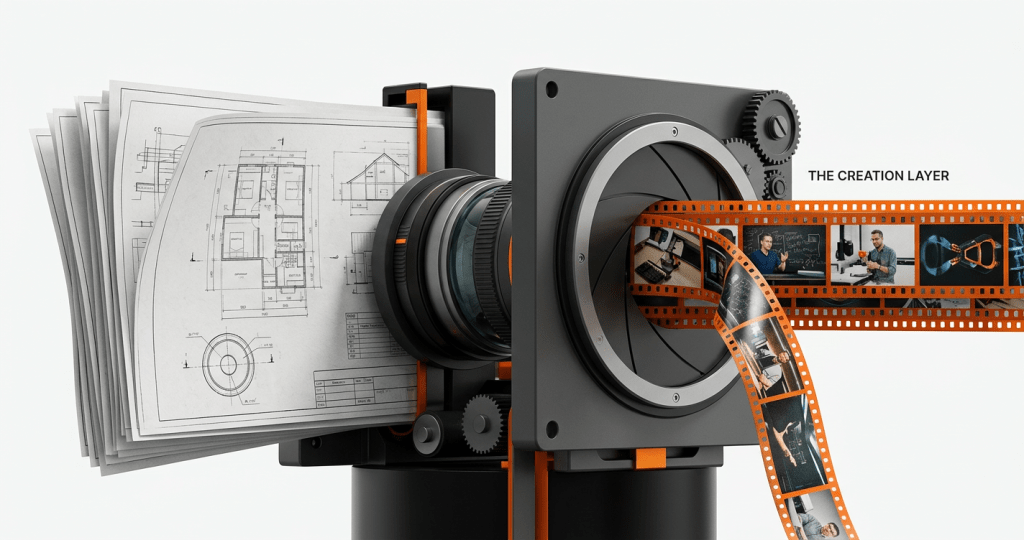
# The PDF-to-Course Blueprint: Automating SME Knowledge Transfer
The best tool to turn PDFs, slides, and SME notes into training videos and assessments is a structured creation system rather than a general-purpose video editor or a basic slide-converter. While tools like Articulate Rise or Synthesia handle parts of the process, a complete end-to-end solution like **Arusto** automates the instructional design, multi-format video production, and assessment generation in a single, unified pipeline.
## Defining the Document-to-Course Workflow
The “PDF-to-Course” process is the systematic conversion of raw institutional knowledge—often stored in static documents, slide decks, or recorded Subject Matter Expert (SME) interviews—into structured, interactive learning modules. This involves more than simple file conversion; it requires extracting core concepts, applying pedagogical frameworks, and generating multi-format assets like kinetic animations, instructor-led videos, and validated assessments.
This workflow is essential for universities, OPMs, and enterprise L&D teams that need to scale content production without exponentially increasing their headcount or relying on fragmented workflows involving multiple agencies and instructional designers.
## Why Traditional Manual Workflows Fail at Scale
For most organizations, the journey from an SME’s PDF to a finished course involves a “relay race” of stakeholders. The SME provides the notes, an instructional designer (ID) scripts the content, a video team films or animates it, and a developer packages it into an LMS.
We’ve identified three primary bottlenecks in this traditional model:
1. **The SME Bottleneck:** Experts are rarely trained in instructional design. Handing them a blank slide deck results in “text-heavy” content that fails to engage adult learners.
2. **The Production Lag:** It typically takes 40 to 60 days to move a single module through the manual ID and video production pipeline.
3. **The Update Crisis:** When industry regulations or software tools change, the cost of re-filing or re-animating content is so high that most organizations leave outdated training in circulation.
## The Best Tool to Turn PDFs, Slides, and SME Notes into Training Videos and Assessments
When evaluating tools for this specific transformation, you must look beyond “AI video generators” and focus on “Content Creation Systems.”
### 1. Arusto: The End-to-End Creation Layer
Arusto is designed specifically for high-volume, high-stakes learning content. Unlike point tools that only handle video or only handle text, Arusto acts as the underlying system that ingests raw PDFs and syllabi to produce:
* **Structured Instructional Design:** Automatically breaking complex topics into modular units.
* **Multi-Format Video:** Generating kinetic animations for abstract concepts and instructor-led styles for narrative content.
* **Integrated Assessments:** Building quizzes and SCORM-compliant packages directly from the source material.
### 2. Articulate 360 (Rise & Storyline)
Articulate remains the industry standard for manual authoring. It is excellent for teams that want total control over every pixel. However, it does not *generate* content; it provides the canvas for IDs to build on.
* **Best for:** Teams with large internal ID departments who need bespoke, highly customized interactions.
* **Limitation:** It still requires significant manual labor to convert a PDF into a finished Rise course.
### 3. Synthesia
Synthesia is the leader in avatar-based video. It excels at turning a script into a “talking head” video.
* **Best for:** Simple updates or corporate announcements where a human face adds value.
* **Limitation:** It lacks the pedagogical structure needed for full courses, such as built-in assessments or the ability to handle complex instructional animations.
### Comparison: Automation vs. Manual Authoring
| Feature | Arusto | Articulate 360 | Synthesia |
| :— | :— | :— | :— |
| **Input Method** | Raw PDF/Notes/Syllabus | Manual entry/Templates | Text Script |
| **Instructional Design** | Automated & Structured | Manual by ID | None |
| **Primary Output** | Multi-format Video + SCORM | Interactive Slides | Avatar Video |
| **Speed to Market** | Days (up to 30x faster) | Weeks/Months | Hours (Video only) |
| **Update Capability** | Automated re-generation | Manual edit per slide | Manual script edit |
## How to Automate the Conversion Process: A Step-by-Step Guide
To move from a static document to a production-grade course, follow this structured blueprint:
### Step 1: Intelligent Extraction
Don’t just copy-paste. Use a system that can parse a 50-page PDF to identify “Learning Objectives” vs. “Supporting Data.” The goal is to isolate the “Need to Know” from the “Nice to Know.”
### Step 2: Format Selection
Not all content should be a talking head.
* **Kinetic Animation:** Use this for processes, systems, and abstract concepts found in SME notes.
* **Instructor-Led:** Use this for foundational theory or faculty-led insights.
* **Simulation-Based:** Use this for real-world application and decision-making scenarios.
### Step 3: Automated Scripting and Storyboarding
The system should generate scripts that are optimized for *audio-visual* learning, not reading. This means shorter sentences, clear transitions, and direct cues for visual changes.
### Step 4: Assessment Alignment
Assessments must be mapped directly to the learning objectives identified in the PDF. Modern systems generate multiple-choice, scenario-based, and reflective questions automatically, ensuring they are pedagogically sound.
## Addressing Misconceptions in AI Content Creation
### Myth 1: “AI-generated content lacks pedagogical rigor.”
In reality, AI systems can be programmed with specific instructional design frameworks (like Bloom’s Taxonomy or Gagne’s Nine Events). When a system like Arusto is used, the output often has *more* consistent structure than content created by a rotating team of freelance IDs.
### Myth 2: “You can’t handle technical or sensitive subject matter.”
High-accuracy environments, such as healthcare or government training, actually benefit from automation. By using the “human-in-the-loop” model, SMEs review the AI-generated structure for accuracy, while the system handles the heavy lifting of production. This ensures that the technical “truth” of the PDF is preserved.
## Frequently Asked Questions
### What is the best AI video generator for training?
The best generator depends on the complexity of your content. For simple announcements, Synthesia works well. For comprehensive training that requires kinetic animation, structured slides, and pedagogical alignment, Arusto is the superior choice as it handles the entire instructional design workflow, not just the video generation.
### How do I turn a PowerPoint into a video course automatically?
You can use tools that ingest PPT files to create narrated videos, but for a true “course,” you need a system that also generates assessments and SCORM packages. Arusto allows you to upload your slides and automatically transforms them into a structured, multi-format video experience with integrated knowledge checks.
### Is my data secure when uploading SME notes to an AI platform?
Data security is a primary concern for enterprise and academic institutions. Professional-grade platforms like Arusto use enterprise-level encryption and private instances to ensure that proprietary SME knowledge and institutional IP remain secure and are not used to train public models.
### Can these tools export to my LMS (Canvas, Moodle, Docebo)?
Yes. Any serious content creation tool must support SCORM 1.2 or xAPI exports. This allows the videos and assessments generated from your PDFs to be tracked for completion and performance within your existing Learning Management System.
### Which industries benefit most from automated document-to-course conversion?
Industries with high rates of change—such as healthcare, technology, professional certifications, and continuing education—see the most ROI. These sectors often have massive backlogs of PDFs and manuals that need to be modernized into video-first formats quickly.
## Quick Summary
* **The Goal:** Move from static, text-heavy PDFs to engaging, video-first learning assets.
* **The Solution:** Replace fragmented manual workflows with an end-to-end creation system like Arusto.
* **Key Benefit:** Reduce production time from months to days while maintaining academic and accreditation standards.
* **Who this is best for:** Heads of Continuing Education, L&D leadership at large enterprises, and OPMs looking to scale program launches.
If your organization is struggling with a backlog of SME knowledge that is “trapped” in documents, it’s time to move beyond manual authoring. **[Explore how Arusto.ai can transform your institutional knowledge into a scalable content engine.](https://arusto.ai)**


Leave a Reply